

Creating Church Podcast Cover Art using Photoshop or Canva or Fiverr
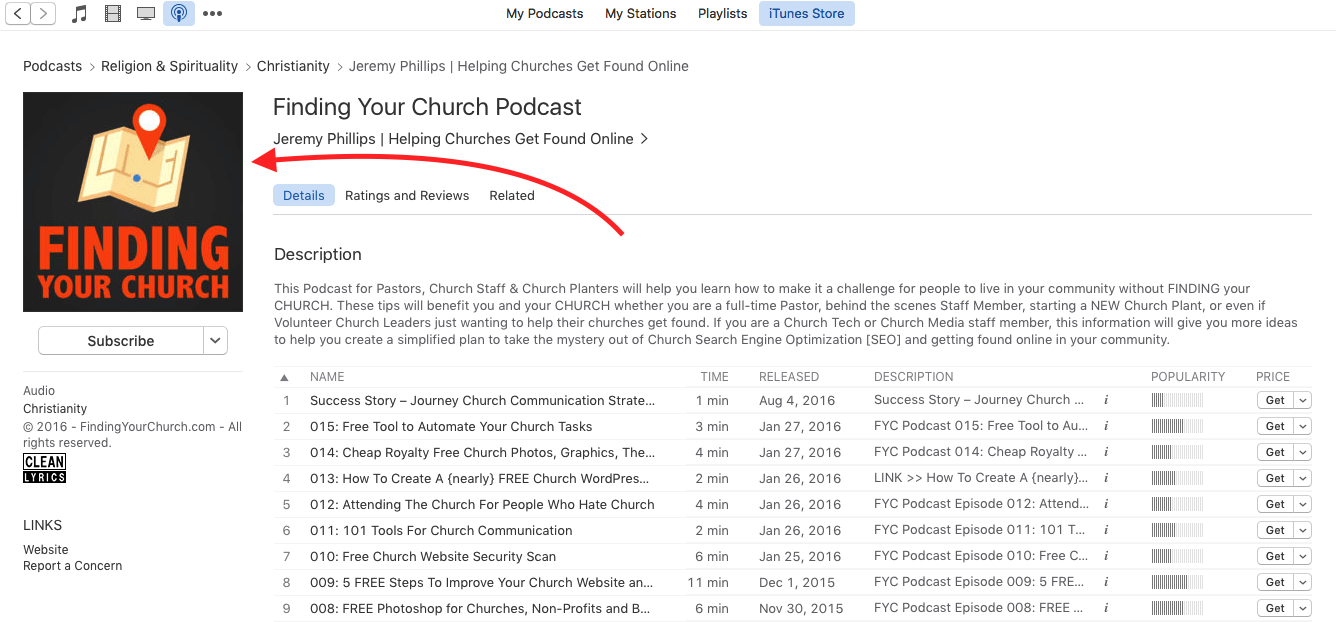
One step you will definitely want to take before setting up your Podcast plugin is creating the graphic that will show up in your Podcast profile and feeds.
At the moment the optimal specific size requirement for Podcast Cover Art is 3000 by 3000 pixels. However, they will accept a graphic as small as 1400 by 1400.
The issue with creating a 3000 pixel square picture is that many times your church logo or pictures that you would like to use in your church podcast cover art graphic are too small and would need to be stretched out to fill the space. That is obviously not a great option as it will look blurry or pixelated when stretched.
A simple way to find out if your graphics or logo will work is to create a 3000 by 3000 pixel graphic, drop your background picture or logo in it and see if it is too small to fit the way you want it. If you will have to make it larger to fill the space then start over and create a 1400 by 1400 graphic and try the same thing.
If your graphics will not even look good in that smaller graphic size, then you will need to find different graphics to work with that are better quality.
After your graphic is created you will be asked to upload it during the WordPress Podcasting Plugin Setup.
Here is an excellent article about how to create amazing Podcast Cover Art graphics for church or any use, and they even offer a free downloadable Podcast Cover Art Toolbox freebie to help you get started. Audacity also offers free downloadable Podcast editing software that may help you too.
LINK >> How To Make Great Podcast Cover Art by Audacity
What can you use to create your Church Podcast Cover Art?
#1 – Photoshop: This option is fairly obvious and many churches have already purchased this software. If paying for the Pro version is too much money for you, the Photoshop Elements version that I linked to is much cheaper and is more than powerful enough to create your Podcast Cover Art.
#2 – Canva.com: Canva is a free graphics editor that you login in to online. It is extremely simple to use. It even allows you to upload your own graphics to use in your creations as well as offering additional free and paid options for backgrounds and graphics.
Your Canva Account will keep all of your graphics projects online in one place accessible from virtually anywhere. They even have an App now so you can create on the go.
The great part about Canva is that you can use it for so many different things. It comes preloaded with nearly every type of Social Media templates from Facebook to Instagram Profile and Post designs.
If you choose the Custom Size option you can also create a graphic that is either 3000×3000 or 1400×1400 pixels for your Podcast profile design.
#3 – Fiverr.com: If you do not want to mess with creating your Church Podcast Cover Art graphic at all, Fiverr is a great place to look for people to create your graphic very cheap for as little as around $5.
>> CLICK HERE to learn more about using Fiverr for your Church.